


Explore thousands of quality products, exclusive deals, and fast delivery options tailored just for you.



Welcome to the only guide you'll ever need for the CHiQ 50-inch smart TV. If you're a value-conscious shopper, you've likely seen the CHiQ brand pop up, offering enticing features like QLED and 4K at a price that seems too good to be true. But trying to figure out if it???s a smart buy can be frustrating. You're forced to piece together scattered Amazon reviews, brief YouTube clips, and confusing spec sheets.
We've done the work for you. This is not just another superficial review. This is the ultimate living guide to the CHiQ 50-inch smart TV, designed for both potential buyers and current owners. We have consolidated every review, manual, and forum post into a single, definitive resource.
Here, you will find an in-depth performance analysis, a step-by-step setup and optimization guide to get the best possible picture, a comprehensive troubleshooting manual for common problems, and an up-to-date look at pricing and where to buy. Let's find out if this budget-friendly 50-inch smart TV is the right choice for your living room.
Before we dive deep, here???s a quick summary based on a meta-analysis of expert opinions and real user reviews for popular models like the CHiQ U50QM9K. This scorecard synthesizes data from sources like Amazon, where the TV holds a 4.4 out of 5-star rating, and technical video reviews that praise its value proposition.
Overall Verdict: The CHiQ 50-inch smart TV is an excellent choice for budget-minded consumers who are willing to spend a little time in the settings menu to unlock its full potential. It delivers a premium viewing experience for a fraction of the cost of bigger brand names.

Let's break down the real-world performance you can expect from this 50-inch smart TV.
The main draw for many CHiQ models is the inclusion of QLED (Quantum Dot LED) technology, 4K UHD resolution, and support for High Dynamic Range formats like HDR10 and HLG. On paper, this is phenomenal for a budget TV.
In practice, some users report that the out-of-the-box picture can look a bit "flat," "pale," or "grainy." This is common in budget TVs where factory settings are often tuned for bright retail showrooms, not your living room. The good news is that these are almost always solvable with proper calibration. As we'll cover in our optimization guide, a few simple tweaks can transform the picture into one that is sharp, colorful, and vibrant.
When evaluating picture quality, independent experts like the consumer advocacy group CHOICE use a rigorous methodology, weighting factors like high-definition performance, 4K picture quality, and color accuracy to determine a final score [1]. This level of detail shows that a great picture is more than just resolution.
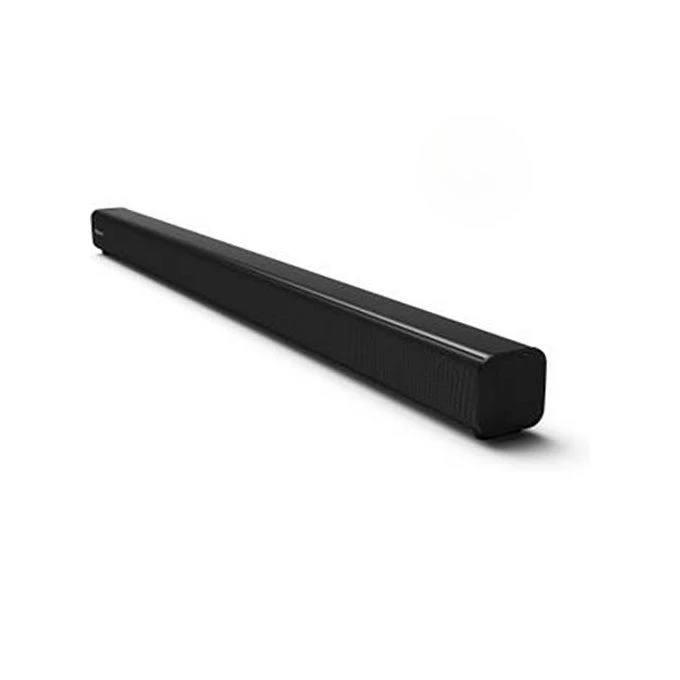
The CHiQ 50 Inch typically comes equipped with Dolby Audio. For everyday TV shows, news, and YouTube videos, the built-in speakers are perfectly adequate. Dialogue is clear and the sound is balanced. However, like most TVs in this price range, the speakers lack the deep bass and immersive surround effect needed for a true cinematic experience. If you're a movie buff or want room-filling sound, you should plan on pairing this TV with an external soundbar.
CHiQ uses different operating systems across its lineup, with recent models like the U50QM9K featuring the highly-regarded Roku TV platform, while others run on Google TV (formerly Android TV). Both are excellent choices. They are intuitive, responsive, and offer a vast library of apps, including Netflix, YouTube, Disney+, Amazon Prime Video, and more. The experience is generally snappy, with minimal lag when navigating menus or launching apps, a pleasant surprise for a budget CHiQ smart TV. For those new to the ecosystem, a general Smart TV Buying Guide can help explain the core differences and features.
A key part of owning a smart TV is also understanding and protecting your privacy. We highly recommend learning about managing smart TV privacy settings to control how your viewing data is collected and used.
This is a critical question for many buyers. Surprisingly, many CHiQ 50-inch models come with HDMI 2.1 support, a feature often reserved for more expensive TVs. This is a huge plus for gamers with a PlayStation 5 or Xbox Series X. HDMI 2.1 can enable features like Auto Low Latency Mode (ALLM), which automatically puts the TV in game mode to reduce input lag.
While it has the right connection, don't expect the same flawless 120Hz performance as a premium OLED. However, for casual to semi-serious gaming, this 50-inch smart TV is more than capable and represents fantastic value.
The most compelling feature of the CHiQ 50 Inch is its price. Models like the U50QM9K QLED TV are frequently available for around 1,000,000 in uganda. This aggressive pricing places it firmly in the "best budget TV" category and makes it a direct competitor to entry-level models from Hisense and TCL. When you consider the inclusion of QLED and HDMI 2.1, the value for money is exceptionally high.
Another factor in its long-term value is energy consumption. To compare how this TV might stack up against others in terms of running costs, you can research models on the official list of ENERGY STAR certified TVs.
Finding where to buy a CHiQ 50-inch TV depends on your region. In Uganda, the primary and most reliable source is the official distributor, Yoola.ug.
For Buyers in Uganda:
For International Buyers:
Your best bet is to check major local electronics retailers online or consult the official CHiQ website, which often provides information on authorized dealers. You can also find official documentation like user manuals on their site [2], which confirms their official online presence.
Unlocking the true potential of your CHiQ TV is easy when you know how. Forget the dense manual; follow these simple steps.
This friendly walkthrough will get you up and running in minutes. While these steps are based on common TV setup processes, always refer to the official user manual for your specific model for the most accurate instructions [2].
IMPORTANT: Many CHiQ smart TV models only support 2.4GHz Wi-Fi networks. They will not see or connect to a 5GHz network. This is a common point of failure and frustration for many new owners with modern routers.
If your TV can't find your Wi-Fi network, this is almost certainly the reason. This technical specification is confirmed in official documentation for related smart home hardware [3].
How to Fix This:
To fix the "out-of-the-box" picture and get the best viewing experience, you need to dive into the settings menu. While professional calibration data isn't widely available for CHiQ, you can achieve excellent results by following principles recommended by experts at sources like Consumer Reports [4].
Start by selecting the 'Movie' or 'Cinema' picture mode. This mode is typically the most color-accurate. Then, use the table below as a starting point.
| Setting | Recommended Value | Why? |
| Backlight/Brightness | Adjust to room | Set this to your comfort level. Higher for bright rooms, lower for dark rooms. |
| Contrast | 90-100 | Controls the white level. Setting it high makes the image "pop" without losing detail. |
| Brightness (Black Level) | 50 | Controls the black level. Set it too low and you'll lose shadow detail; too high and blacks look gray. |
| Color | 50 | This is the color saturation. The default is usually accurate in Movie mode. |
| Tint/Hue | 0 or Center | Leave this at the default unless skin tones look noticeably green or red. |
| Sharpness | 0 | This is the most important fix. High sharpness adds artificial edges ("edge enhancement") and makes the image look grainy. Turn it to zero for a natural, clean picture. |
| Color Temperature | Warm / Low | This provides the most accurate, cinematic look. 'Cool' or 'Standard' will make whites look blueish. |
| Advanced Settings | Off | Turn off settings like Dynamic Contrast, Black Stretch, Noise Reduction, and Motion Smoothing for movies. These can create an unnatural, "soap opera" effect. For sports, you may prefer to turn motion smoothing on to a low setting. |
Even the best TVs have hiccups. Here???s a quick troubleshooting guide for the most common CHiQ TV problems.
Work through these simple solutions before calling for support.
As a last resort for persistent software issues, a factory reset will restore the TV to its original state, deleting all your settings and installed apps.
The exact steps can vary by model and operating system, so it is crucial to consult your official user manual [2]. Generally, the process involves going to Settings > System > Advanced System Settings > Factory Reset. You will be asked to confirm several times before the process begins.
After a comprehensive review of its performance, features, and common issues, the verdict is clear. The CHiQ 50-inch smart TV is an outstanding choice for the value-conscious consumer.
It's for you if:
It might not be for you if:
Ultimately, the CHiQ 50-inch smart TV punches far above its weight class. It democratizes premium features, and with the help of this guide, you have all the tools you need to overcome its minor quirks and transform it into a fantastic centerpiece for your home entertainment system.
We don't currently stock Chiq, but these trusted brands offer similar quality at competitive prices. All come with official warranty and free Kampala delivery.
Free delivery in Kampala • Genuine warranty • Pay with Mobile Money

Same-day Kampala, nationwide

Real brands with warranty

MoMo, Airtel or cash on delivery

WhatsApp, call or email us
Explore thousands of quality products, exclusive deals, and fast delivery options tailored just for you.
 English